lailai's Home
前言
从小学开始,我就想拥有一个属于自己的个人网站。曾经我使用过 CSDN 和 博客园 等现成的博客平台,但自由度低、功能受限,而且经常有广告,始终无法满足我的需求。
2023 年暑假,我尝试了 WordPress 和 Hexo 等博客框架,花了很多时间研究如何建站,但整体效果始终不够满意。主要是因为我在学习算法竞赛(OI)的过程中,需要整理很多知识点和模板,而传统博客的时间线结构不方便检索与归档,相比之下我更喜欢文档式的树状结构,而且也没有特别喜欢的主题。
2024 年 3 月,我发现了由 Meta (Facebook) 开发的静态网站生成器 Docusaurus,它简洁美观、易于使用、扩展性强。
域名我也纠结了很久。其实我很早就买下了 lailai0916.com,但总觉得有点长,一直想要 lailai.com。可惜这个域名是美国一家「莱莱食府」的官网,我想花几百美元买下来,但中介说对方已经拒绝过 1 万美元了。后来我又考虑过 lailai.one、lailai.top、lailai.cc、lailai.io 等,最后选定了 lailai.one。
2024 年 10 月,我开始动手搭建网站,但 Docusaurus 在国内互联网比较冷门,相关的资料和教程并不多,而且在此之前我没有系统学习过 HTML、CSS 和 JavaScript,凭借 C++ 和 Python 等语言的基础和 AI 的帮助,在建站的过程中逐渐掌握了一些基本语法。
此外,Material for MkDocs 和 VitePress 也是不错的选择,例如 OI Wiki 就是基于前者搭建的。
项目仓库
待办事项
- 添加主页「lailai」拖动交互效果
- 优化响应式布局
- 优化无障碍功能
搭建教程
本教程写于 2025 年 1 月,演示版本为 Docusaurus v3.8,演示环境为 macOS Sequoia 15.5 系统的 MacBook Pro (M3 Max)。
安装
安装 Docusaurus 时有两个选择:JavaScript 和 TypeScript。
推荐使用 TypeScript,因为它是 JavaScript 的严格超集,提供了更多功能。
创建
打开终端并运行此命令,它将创建一个包含脚手架文件的新目录。你可以将 my-website 修改为任意名称。
- TypeScript
- JavaScript
- npm
- Yarn
- pnpm
- Bun
npx create-docusaurus@latest my-website classic --typescript
yarn dlx create-docusaurus@latest my-website classic --typescript
pnpm dlx create-docusaurus@latest my-website classic --typescript
bun x create-docusaurus@latest my-website classic --typescript
- npm
- Yarn
- pnpm
- Bun
npx create-docusaurus@latest my-website classic --javascript
yarn dlx create-docusaurus@latest my-website classic --javascript
pnpm dlx create-docusaurus@latest my-website classic --javascript
bun x create-docusaurus@latest my-website classic --javascript
lailai@lailais-MacBook-Pro GitHub % npx create-docusaurus@latest my-website classic --typescript
[INFO] Creating new Docusaurus project...
[INFO] Installing dependencies with npm...
[SUCCESS] Created my-website.
[INFO] Inside that directory, you can run several commands:

  `npm start`
    Starts the development server.

  `npm run build`
    Bundles your website into static files for production.

  `npm run serve`
    Serves the built website locally.

  `npm run deploy`
    Publishes the website to GitHub pages.

We recommend that you begin by typing:

  `cd my-website`
  `npm start`

Happy building awesome websites!
启动
等待创建完成后,切换到项目目录,并启动本地服务器。
- npm
- Yarn
- pnpm
- Bun
cd my-website
npm start
cd my-website
yarn start
cd my-website
pnpm start
cd my-website
bun start
lailai@lailais-MacBook-Pro GitHub % cd my-website
npm start

> my-website@0.0.0 start
> docusaurus start

[INFO] Starting the development server...
[SUCCESS] Docusaurus website is running at: http://localhost:3000/

✔ Client
  Compiled successfully in 471.56ms

client (webpack 5.99.9) compiled successfully
预览
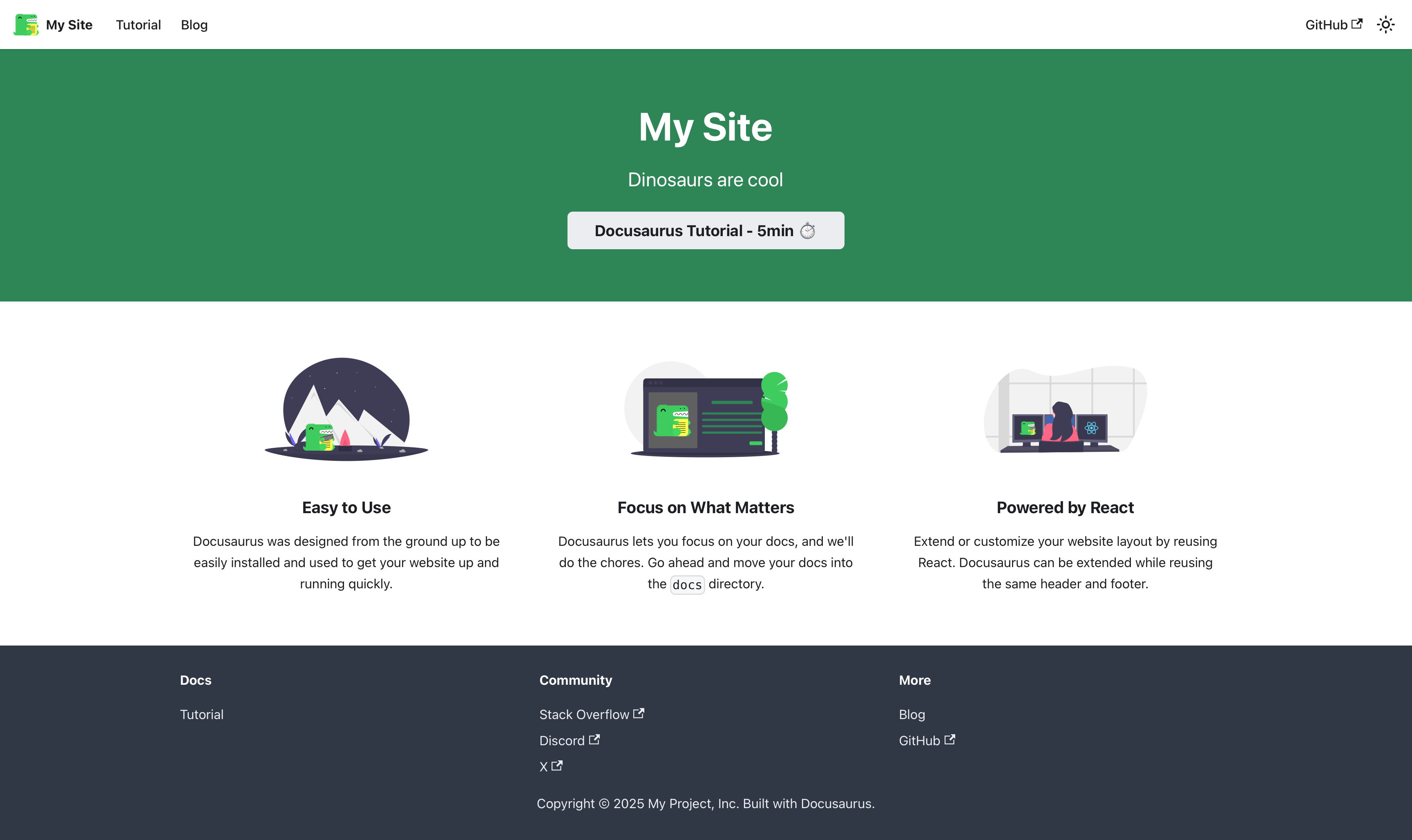
等待一段时间,会自动打开浏览器 http://localhost:3000 本地地址。
此时你能看到 Docusaurus 网站的默认页面。

结构
部署
- 确保你已经安装了 Git,并且在 GitHub 上创建了一个新的仓库。
- 在本地项目根目录下运行以下命令,将项目推送到 GitHub 仓库:
git init
git add .
git commit -m "Initial commit"
git branch -M main
git remote add origin https://github.com/username/my-website.git
git push -u origin main
- 在
docusaurus.config.ts文件中,配置url和baseUrl:
export default {
  // ...existing code...
  url: 'https://username.github.io',
  baseUrl: '/my-website/',
  // ...existing code...
};
- 安装
gh-pages依赖:
- npm
- Yarn
- pnpm
- Bun
npm install --save-dev gh-pages
yarn add --dev gh-pages
pnpm add --save-dev gh-pages
bun add --dev gh-pages
- 在
package.json文件中,添加部署脚本:
"scripts": {
  // ...existing code...
  "deploy": "docusaurus deploy"
}
- 运行以下命令,部署到 GitHub Pages:
- npm
- Yarn
- pnpm
- Bun
npm run deploy
yarn deploy
pnpm run deploy
bun run deploy
- 部署完成后,可以通过
https://username.github.io/my-website/访问你的网站。
插件
在配置文件 docusaurus.config.ts 中,plugins 部分列出了所有插件及其设置。
- 📦 plugin-ideal-image:生成响应式、懒加载及低像素占位图的图像插件。
- 📦 plugin-client-redirects:在客户端生成页面重定向。
- 📦 plugin-google-gtag:在网站中集成 Google Analytics,提供详细的流量分析。
- 📦 plugin-pwa:创建支持离线模式和应用安装的 PWA 文档站点。如果你的浏览器支持,可以把网站当作应用安装。
- 📦 remark-plugin-npm2yarn:将 Markdown 中标记为
bash npm2yarn的代码块中的 npm 命令转换为 Docusaurus 选项卡形式,展示多种包管理工具(如 npm、yarn、pnpm 等)的等效命令。
网站推荐
这是一些我认为比较优秀的个人网站,可供参考。